How to Fix “lvalue required as left operand of assignment” in C++
Short answer: the left side of = has to be something that can store a value, like a variable. Usually you typed = where you meant == in a comparison such as if (n % 2 = 0), or wrote an assignment backwards, as in a + b = total.
| Compiler | What you see |
|---|---|
| GCC (g++, MinGW, Code::Blocks) | lvalue required as left operand of assignment |
| Clang (Xcode, macOS) | expression is not assignable |
| Visual Studio | C2106: '=': left operand must be l-value |
Hit “lvalue required as left operand of assignment”? It's a classic beginner trap, and there are others like it.
Free 1-page checklist: The 10 Mistakes Every C++ Beginner Makes. It shows the exact traps that slow down every C++ beginner, so you can avoid them from day one.
🔒 No spam. Unsubscribe anytime.
What “lvalue” Means
An lvalue is something with its own place in memory that you can store a value into: a variable, an array element, a member of an object. The name comes from being allowed on the left of =.
Everything else is just a value: a number like 10, the result of a + b, or whatever a function returns. You can read those values, but there’s nowhere to store anything in them:
score = 10;    // fine: score is a variable
10 = score;    // error: 10 is just a value
Every cause below puts a plain value on the left of =.
Cause 1: = Instead of == in a Condition
The classic. = assigns and == compares:
#include <iostream>

int main() {
    int n = 7;
    if (n % 2 = 0) {
        std::cout << "even\n";
    }
}
GCC: error: lvalue required as left operand of assignment
Clang: error: expression is not assignable
MSVC: error C2106: '=': left operand must be l-valuen % 2 is a calculated value, so C++ can’t store 0 in it.
Fix: compare with ==:
#include <iostream>

int main() {
    int n = 8;
    if (n % 2 == 0) {
        std::cout << "even\n";
    }
}evenThere’s more on % in the modulo operator, and on conditions in the conditionals tutorial.
Cause 2: An Assignment Written Backwards
In maths, a + b = total and total = a + b say the same thing. In C++, = means “store the right side in the left side”, so the order matters:
#include <iostream>

int main() {
    int a = 2;
    int b = 3;
    int total;
    a + b = total;
    std::cout << total << '\n';
}
GCC: error: lvalue required as left operand of assignment
Clang: error: expression is not assignable
MSVC: error C2106: '=': left operand must be l-valueA number on the left, as in 10 = score;, gives exactly the same three messages.
Fix: put the variable on the left:
#include <iostream>

int main() {
    int a = 2;
    int b = 3;
    int total = a + b;
    std::cout << total << '\n';
}5Want the fundamentals explained properly? C++ Better Explained covers the core of C++ in plain English, with analogies and code diagrams, including the parts that trip beginners up most: pointers, memory and OOP.
Get the book — $19Cause 3: Assigning to a Function’s Return Value
#include <iostream>

class Player {
public:
    int getHealth() const { return health; }
private:
    int health = 100;
};

int main() {
    Player hero;
    hero.getHealth() = 50;
    std::cout << hero.getHealth() << '\n';
}
GCC: error: lvalue required as left operand of assignment
Clang: error: expression is not assignable
MSVC: error C2106: '=': left operand must be l-valuegetHealth() hands back a copy of the number, not the health member itself, so there’s nothing to store into.
The same thing happens with the standard library. word.length() = 3; gives the same error, because length() returns a number. To shorten a string, use word.resize(3);.
Fix: add a member function that changes the value, usually called a setter:
#include <iostream>

class Player {
public:
    int getHealth() const { return health; }
    void setHealth(int h) { health = h; }
private:
    int health = 100;
};

int main() {
    Player hero;
    hero.setHealth(50);
    std::cout << hero.getHealth() << '\n';
}50See getters and setters for when to use them.
The Trap That Compiles: if (x = 5)
When the left side is a plain variable, = inside a condition is legal. There’s no lvalue error, just a bug:
#include <iostream>

int main() {
    int x = 2;
    if (x = 5) {
        std::cout << "x is 5\n";
    }
}
x is 5x = 5 stores 5 in x, and the condition then checks that 5. Any number other than zero counts as true, so the program prints “x is 5” even though x started as 2.
Whether you get a warning depends on your compiler and settings:
GCC (with -Wall):     warning: suggest parentheses around assignment used as truth value [-Wparentheses]
Clang:                warning: using the result of an assignment as a condition without parentheses [-Wparentheses]
Visual Studio (/W4):  warning C4706: assignment used as a condition
Without -Wall, GCC says nothing. Visual Studio only warns at warning level 4; at its default level 3 it’s silent. Turning warnings up is the easiest way to catch this mistake.
Similar Messages
Two related errors come from assigning to something that is a variable but isn’t allowed to change:
| You wrote | GCC | Clang | Visual Studio |
|---|---|---|---|
maxPlayers = 6; where maxPlayers is a const int | assignment of read-only variable 'maxPlayers' | cannot assign to variable 'maxPlayers' with const-qualified type 'const int' | C3892: 'maxPlayers': assignment to const-qualified variable of type 'const int' |
b = a; where both are arrays | invalid array assignment | array type 'int[3]' is not assignable | C3863: array type 'int [3]' is not assignable |
For the const one, decide whether the value really should change. See const in C++. For arrays, copy them element by element, or use a std::array or std::vector, which you can copy with =. See std::array.
Quick Reference
| You wrote | The fix |
|---|---|
if (n % 2 = 0) | if (n % 2 == 0) |
a + b = total; | total = a + b; |
10 = score; | score = 10; |
obj.getValue() = 5; | Add a setter: obj.setValue(5); |
word.length() = 3; | word.resize(3); |
For other common messages, see C++ error messages explained.
Take Your C++ Further
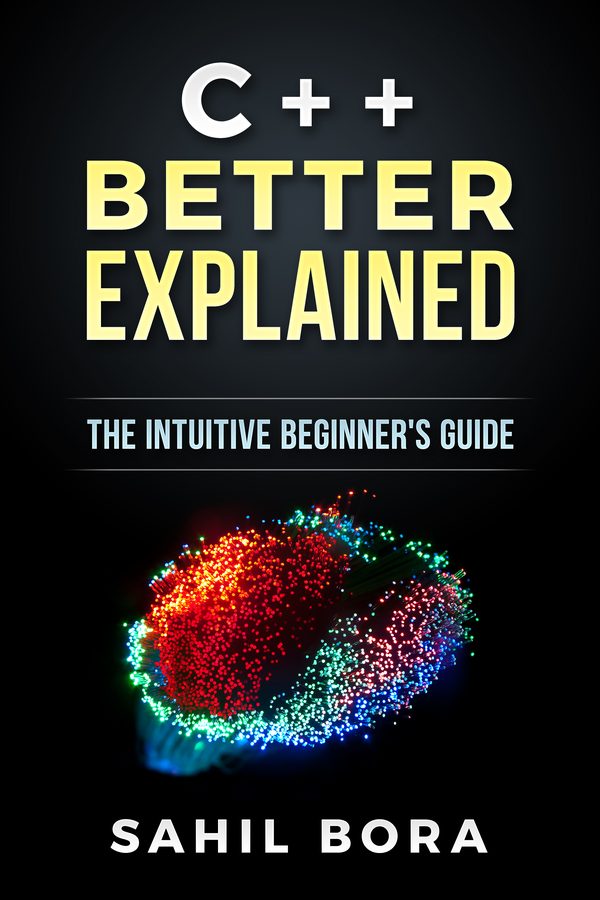
If you'd like the fundamentals explained in one place, C++ Better Explained covers them in 87 plain-English pages, with analogies and code diagrams, including the parts that trip beginners up most: pointers, memory and OOP.
Get the book — $1987 pages · plain English · 30-day money-back guarantee
Related Articles
- C++ Error Messages Explained — the most common errors and what they mean.
- C++ Conditionals Tutorial — if, else and the comparison operators.
- The Modulo Operator in C++ — checking for even and odd numbers.
- Getters and Setters in C++ — changing an object’s data the right way.
- How to Fix ‘expected primary-expression before’ — another error from a small typo.