How to Fix “expected a file name” in C++ (#include Errors)
Short answer: the #include line doesn’t wrap the header’s name the way C++ expects. Standard headers go in angle brackets, #include <iostream>, and your own headers go in double quotes, #include "player.h". Bare names, single quotes, and an unclosed < or " all give this error.
| Where | What you see |
|---|---|
| Visual Studio editor (red squiggle) | expected a file name |
| Visual Studio build | C2006: '#include': expected "FILENAME" or <FILENAME> |
| GCC (g++, MinGW, Code::Blocks) | '#include' expects "FILENAME" or <FILENAME> |
| Clang (Xcode, macOS) | expected "FILENAME" or <FILENAME> |
Hit “expected a file name”? It's a classic beginner trap, and there are others like it.
Free 1-page checklist: The 10 Mistakes Every C++ Beginner Makes. It shows the exact traps that slow down every C++ beginner, so you can avoid them from day one.
🔒 No spam. Unsubscribe anytime.
Cause 1: No Brackets Around the Name
#include iostream

int main() {
}
Visual Studio editor: expected a file name
MSVC build: error C2006: '#include': expected "FILENAME" or <FILENAME>
fatal error C1083: Cannot open include file: '': No such file or directory
GCC: error: '#include' expects "FILENAME" or <FILENAME>
Clang: error: expected "FILENAME" or <FILENAME>The editor marks it as a catastrophic error, because nothing after a broken #include can be checked. Fix: #include <iostream>.
Cause 2: Single Quotes Instead of Double Quotes
#include 'iostream'

int main() {
}
Visual Studio editor: expected a file name
MSVC build: error C2015: too many characters in constant
error C2006: '#include': expected "FILENAME" or <FILENAME>
GCC: error: '#include' expects "FILENAME" or <FILENAME>
Clang: error: expected "FILENAME" or <FILENAME>In C++, single quotes are only for one character, like 'A'. That’s why Visual Studio complains about “too many characters”. Fix: #include <iostream>, or double quotes for your own files.
Cause 3: An Unclosed < or Mixed-Up Quotes
#include <iostream

int main() {
}
Visual Studio editor: expected a file name
MSVC build: error C2013: expected a '>'
GCC: error: missing terminating '>' character
Clang: error: expected '>'
note: to match this '<'Mixing the two styles fails the same way: #include "iostream> gives expected a file name in the editor and missing terminating " character from GCC and Clang. Fix: close the name with the same style you opened it with.
Header and linker errors are easier with the big picture. C++ Better Explained explains how C++ code gets compiled, including what header files and the linker each do, in plain English with diagrams.
Get the book — $27Cause 4: Nothing After #include
#include

int main() {
}
Visual Studio editor: expected a file name
MSVC build: error C2006: '#include': expected "FILENAME" or <FILENAME>
GCC: error: '#include' expects "FILENAME" or <FILENAME>
Clang: error: expected "FILENAME" or <FILENAME>This usually happens when the header’s name was deleted by accident. Put it back, or delete the empty line.
< > or ” ”: Which One?
| Use | For | Example |
|---|---|---|
< > | The standard library and installed libraries | #include <iostream>, #include <vector> |
" " | Header files in your own project | #include "player.h" |
Double quotes tell the compiler to look first in the folder of the file doing the including, then in the usual library folders. Angle brackets go straight to the library folders. See header files explained for how this works.
If the File Name Is Right but It Still Fails
Once the brackets are right, a different error may appear: cannot open source file "iostream" in Visual Studio Code, or No such file or directory from g++. That means the brackets are fine but the file can’t be found: your compiler isn’t set up, or the header name is misspelled. See how to fix #include errors in VS Code.
Quick Reference
| You wrote | Fix |
|---|---|
#include iostream | #include <iostream> |
#include 'iostream' | #include <iostream> |
#include <iostream | #include <iostream> |
#include "iostream> | #include <iostream> |
#include player.h | #include "player.h" |
For other common messages, see C++ error messages explained.
Take Your C++ Further
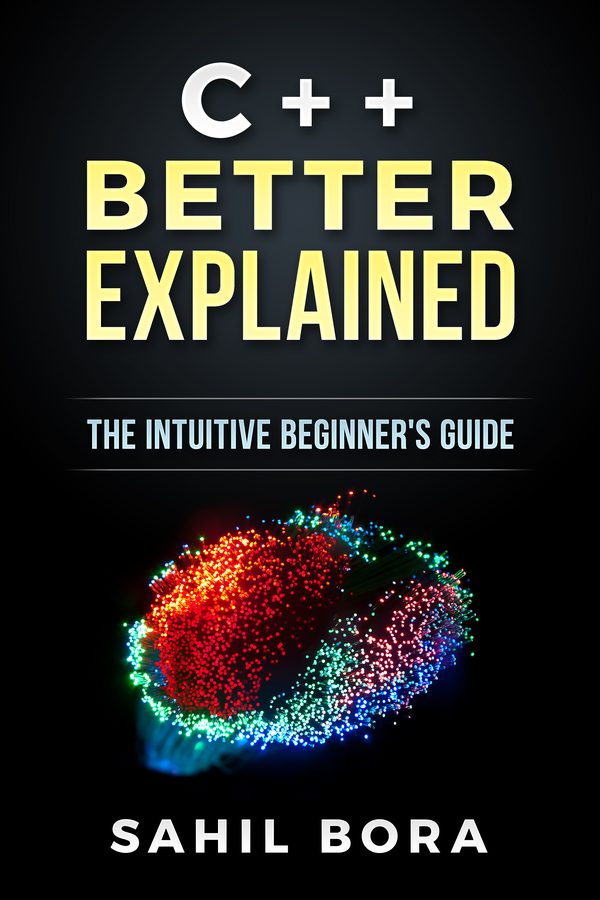
Header-file and linker errors stop being mysterious once you know how your .cpp files become a program. C++ Better Explained explains how C++ code gets compiled, step by step, in plain English with diagrams.
Get the book — $2787 pages · plain English · 30-day money-back guarantee
Related Articles
- C++ Error Messages Explained — the most common errors and what they mean.
- C++ Header Files Explained — #include, guards, and what goes where.
- How to Fix ‘#include errors detected’ in VS Code — when the header can’t be found.
- C++ Preprocessor Directives — what #include and #define really do.
- Breakdown of a Simple C++ Program — what each line of a first program does.