How to Fix “expected a ’)’” in C++ (Visual Studio)
Short answer: a ( was opened, and before Visual Studio found the matching ) it ran into something that can’t go inside the brackets. Usually the ) is just missing. If the brackets do match, look for two conditions with no && or || between them, or a #define that ends in a semicolon.
| Where | What you see |
|---|---|
| Visual Studio editor (red squiggle) | expected a ')' |
| Visual Studio build | C2143: syntax error: missing ')' before ';', or C2059: syntax error |
| GCC (g++, MinGW, Code::Blocks) | expected ')' before '{' token |
| Clang (Xcode, macOS) | expected ')', then note: to match this '(' |
Hit “expected a ')'”? It's a classic beginner trap, and there are others like it.
Free 1-page checklist: The 10 Mistakes Every C++ Beginner Makes. It shows the exact traps that slow down every C++ beginner, so you can avoid them from day one.
🔒 No spam. Unsubscribe anytime.
Cause 1: An if Missing Its Closing Bracket
#include <iostream>

int main() {
    int x = 7;
    if (x > 5 {
        std::cout << "Big\n";
    }
}
Visual Studio editor: expected a ')'
GCC: error: expected ')' before '{' token
Clang: error: expected ')'
note: to match this '('The { arrived while the condition was still open. Visual Studio’s build output is confusing here: it reports C2059: syntax error on later lines, so trust the squiggle. Fix:
#include <iostream>

int main() {
    int x = 7;
    if (x > 5) {
        std::cout << "Big\n";
    }
}BigCause 2: An Extra ( at the Start
#include <iostream>

int main() {
    int x = 0;
    while ((x < 3) {
        x++;
    }
    std::cout << x << '\n';
}
Visual Studio editor: expected a ')'
GCC: error: expected ')' before '{' token
Clang: error: expected ')'
note: to match this '('Two ( and one ). Either delete the extra ( or close both. while (x < 3) prints 3 once the loop finishes.
Cause 3: An Unfinished Function Call
#include <iostream>

int add(int a, int b) {
    return a + b;
}

int main() {
    int sum = add(2, 3;
    std::cout << sum << '\n';
}
Visual Studio editor: expected a ')'
MSVC build: error C2143: syntax error: missing ')' before ';'
GCC: error: expected ')' before ';' token
Clang: error: expected ')'
note: to match this '('Fix: int sum = add(2, 3);, which prints 5. The same applies to brackets used for grouping: int total = (a + b * 2; needs its ) too, as in (a + b) * 2.
Want the fundamentals explained properly? C++ Better Explained covers the core of C++ in plain English, with analogies and code diagrams, including the parts that trip beginners up most: pointers, memory and OOP.
Get the book — $27Cause 4: Two Conditions With Nothing Between Them
#include <iostream>

int main() {
    int x = 5, y = 3;
    if (x == 5 y == 3) {
        std::cout << "Both\n";
    }
}
Visual Studio editor: expected a ')'
MSVC build: error C2146: syntax error: missing ')' before identifier 'y'
GCC: error: expected ')' before 'y'
Clang: error: expected ')'The brackets match, but after x == 5 the compiler expects either the end of the condition or an operator, and finds y. Fix: join them with && (both must be true) or || (either one):
#include <iostream>

int main() {
    int x = 5, y = 3;
    if (x == 5 && y == 3) {
        std::cout << "Both\n";
    }
}BothCause 5: A #define That Ends in a Semicolon
This one is hard to spot, because the line with the squiggle looks perfect:
#include <iostream>

#define LIMIT 10;

int main() {
    int n = 10;
    if (n == LIMIT) {
        std::cout << "At the limit\n";
    }
}
Visual Studio editor: expected a ')'
MSVC build: error C2059: syntax error: ')'
GCC: error: expected primary-expression before ')' token
Clang: error: expected expressionA #define is pasted into your code exactly as written, semicolon included, so if (n == LIMIT) becomes if (n == 10;). Notice that GCC and Clang word it differently from Visual Studio here; they complain about the ) after the stray ;.
Fix: remove the semicolon from the #define, or better, use a real constant, which never has this problem:
#include <iostream>

constexpr int LIMIT = 10;

int main() {
    int n = 10;
    if (n == LIMIT) {
        std::cout << "At the limit\n";
    }
}
At the limitSee preprocessor directives and const vs constexpr for more.
How to Find the Missing Bracket Fast
- Count the brackets on the flagged line. Every
(needs a). - Click next to a bracket. Visual Studio and VS Code highlight its partner; if nothing lights up, that one is unmatched.
- Read Clang’s note if you have it:
to match this '('points straight at the opening bracket. - Check any
#definethe line uses if the brackets all match.
Quick Reference
| The line looks like | Fix |
|---|---|
if (x > 5 { | if (x > 5) { |
while ((x < 3) { | while (x < 3) { |
add(2, 3; | add(2, 3); |
if (x == 5 y == 3) | if (x == 5 && y == 3) |
#define LIMIT 10; | constexpr int LIMIT = 10; |
For other common messages, see C++ error messages explained.
Take Your C++ Further
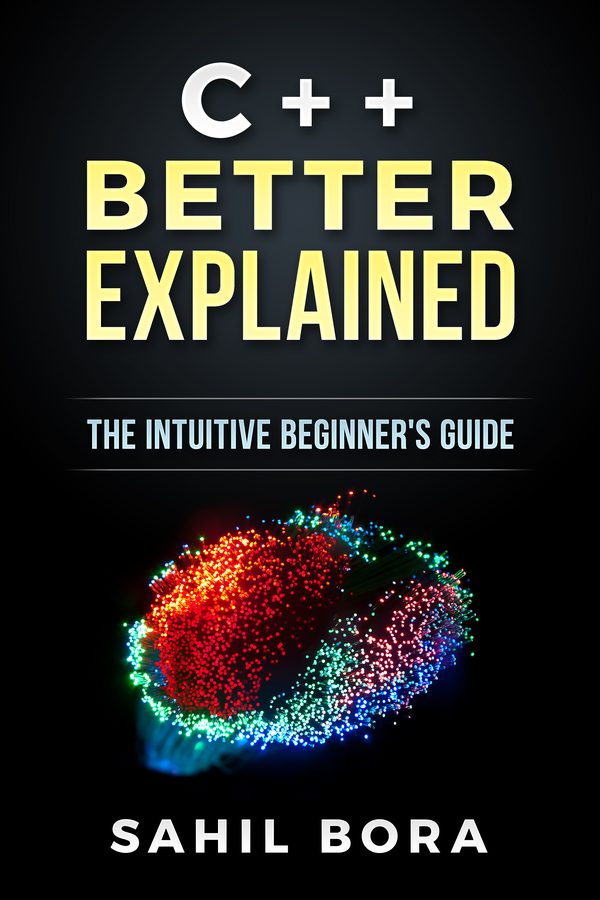
If you'd like the fundamentals explained in one place, C++ Better Explained covers them in 87 plain-English pages, with analogies and code diagrams, including the parts that trip beginners up most: pointers, memory and OOP.
Get the book — $2787 pages · plain English · 30-day money-back guarantee
Related Articles
- C++ Error Messages Explained — the most common errors and what they mean.
- How to Fix Expected ’;’ Errors — Visual Studio’s
expected a ';'. - How to Fix ‘expected an expression’ — when a value is missing instead.
- How to Fix Expected ’}’ at End of Input — the same problem with curly braces.
- C++ Preprocessor Directives — how #define really works.