How to Fix “expected an expression” in C++ (Visual Studio)
Short answer: Visual Studio reached a spot in your code where a value has to go, and there’s nothing usable there. Something is usually missing: the value after =, the condition inside if (), an argument after a comma, or the last part of ? :. Look at the exact character the red squiggle is under, and check what should come right before it.
| Where | What you see |
|---|---|
| Visual Studio editor (red squiggle) | expected an expression |
| Visual Studio build | C2059: syntax error: ';' (or ')', '>') |
| GCC (g++, MinGW, Code::Blocks) | expected primary-expression before ';' token |
| Clang (Xcode, macOS) | expected expression |
Hit “expected an expression”? It's a classic beginner trap, and there are others like it.
Free 1-page checklist: The 10 Mistakes Every C++ Beginner Makes. It shows the exact traps that slow down every C++ beginner, so you can avoid them from day one.
🔒 No spam. Unsubscribe anytime.
What “Expression” Means Here
An expression is anything that produces a value: 42, x, a + b, add(2, 3), score >= 5. Lots of places in C++ need one: after =, inside if ( ), between the commas of a function call, after return.
When one of those places is empty, or holds something that isn’t a value, the editor stops with “expected an expression”. The fix is to put the missing value back.
Cause 1: Nothing After the =
#include <iostream>

int main() {
    int total = ;
    std::cout << total << '\n';
}
Visual Studio editor: expected an expression
MSVC build: error C2059: syntax error: ';'
GCC: error: expected primary-expression before ';' token
Clang: error: expected expressionThe ; arrived where the value should be. Fix: give it a value, int total = 10;, or leave the = out and assign it later.
The same thing happens anywhere a line ends too early, such as std::cout << "Total: " << ;.
Cause 2: An Empty if Condition
#include <iostream>

int main() {
    int score = 7;
    if () {
        std::cout << "Passed\n";
    }
}
Visual Studio editor: expected an expression
MSVC build: error C2059: syntax error: ')'
error C2143: syntax error: missing ';' before '{'
GCC: error: expected primary-expression before ')' token
Clang: error: expected expressionAn if needs a condition to test. Fix:
#include <iostream>

int main() {
    int score = 7;
    if (score >= 5) {
        std::cout << "Passed\n";
    }
}PassedCause 3: A Missing Function Argument
#include <iostream>

int add(int a, int b) {
    return a + b;
}

int main() {
    std::cout << add(2, ) << '\n';
}
Visual Studio editor: expected an expression
MSVC build: error C2059: syntax error: ')'
GCC: error: expected primary-expression before ')' token
Clang: error: expected expressionThe comma promises a second argument that never arrives. Fix: add(2, 3), which prints 5. If you meant to leave an argument out, give the parameter a default argument instead.
Want the fundamentals explained properly? C++ Better Explained covers the core of C++ in plain English, with analogies and code diagrams, including the parts that trip beginners up most: pointers, memory and OOP.
Get the book — $27Cause 4: => Instead of >=
#include <iostream>

int main() {
    int age = 20;
    if (age => 18) {
        std::cout << "Adult\n";
    }
}
Visual Studio editor: expected an expression
MSVC build: error C2059: syntax error: '>'
GCC: error: expected primary-expression before '>' token
Clang: error: expected expressionC++ has no => operator. The compiler reads age =, an assignment, then finds > where the value being assigned should be. Fix: put the equals sign second:
#include <iostream>

int main() {
    int age = 20;
    if (age >= 18) {
        std::cout << "Adult\n";
    }
}AdultThe same goes for =<, which should be <=. All the comparison operators are in the conditionals tutorial.
Cause 5: A Half-Finished ?: Operator
#include <iostream>

int main() {
    int a = 4, b = 9;
    int bigger = (a > b) ? a : ;
    std::cout << bigger << '\n';
}
Visual Studio editor: expected an expression
MSVC build: error C2059: syntax error: ';'
GCC: error: expected primary-expression before ';' token
Clang: error: expected expressionThe ternary operator needs a value on both sides of the colon. Fix: int bigger = (a > b) ? a : b;, which prints 9. More in the ternary operator guide.
Cause 6: Empty Square Brackets
#include <iostream>

int main() {
    int scores[3] = {90, 85, 77};
    scores[] = 100;
    std::cout << scores[0] << '\n';
}
Visual Studio editor: expected an expression
MSVC build: error C7732: expected an expression before ']'
GCC: error: expected primary-expression before ']' token
Clang: error: expected expressionEmpty brackets are only allowed when you declare an array and let the compiler count the values, as in int scores[] = {90, 85, 77};. To change one element, say which one: scores[0] = 100;.
A Close Relative: “type name is not allowed”
If the squiggle says type name is not allowed instead, you put a type where a value belongs, as in std::cout << int; or Counter.count(). That has its own guide: how to fix ‘type name is not allowed’.
Quick Reference
| The line looks like | What’s missing | Fix |
|---|---|---|
int total = ; | The value | int total = 10; |
if () { | The condition | if (score >= 5) { |
add(2, ) | An argument | add(2, 3) |
if (age => 18) | Nothing: the operator is backwards | if (age >= 18) |
x ? a : ; | The value after : | x ? a : b |
scores[] = 100; | The index | scores[0] = 100; |
For the GCC wording of the same mistakes, see expected primary-expression before. For other common messages, see C++ error messages explained.
Take Your C++ Further
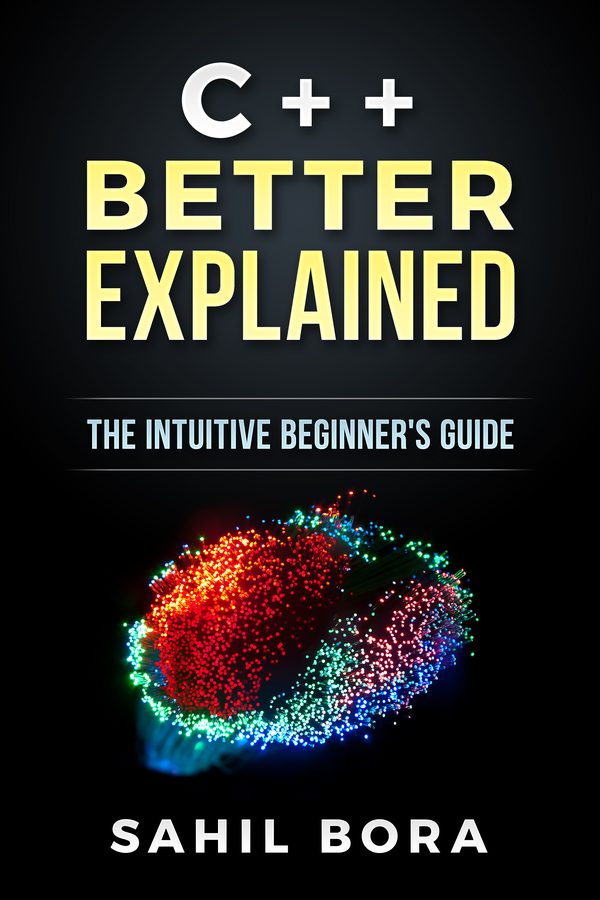
If you'd like the fundamentals explained in one place, C++ Better Explained covers them in 87 plain-English pages, with analogies and code diagrams, including the parts that trip beginners up most: pointers, memory and OOP.
Get the book — $2787 pages · plain English · 30-day money-back guarantee
Related Articles
- C++ Error Messages Explained — the most common errors and what they mean.
- How to Fix ‘expected primary-expression before’ — the GCC version of this error.
- How to Fix Expected ’;’ Errors — Visual Studio’s
expected a ';'and friends. - How to Fix “expected a ’)’” — when a bracket is left open.
- C++ Conditionals Tutorial — if, else and the comparison operators.