How to Fix “invalid conversion from ‘const char*’ to ‘char’” in C++
Short answer: you gave a variable a value of the wrong type, and C++ won’t convert it for you. The most common case is double quotes where you meant single quotes: "A" is text, 'A' is one character. The same family of errors covers text stored in a number, a std::string used as an int, and a pointer given a plain value instead of an address.
| Compiler | What you see |
|---|---|
| GCC (g++, MinGW, Code::Blocks) | invalid conversion from 'const char*' to 'char' |
| Clang (Xcode, macOS) | cannot initialize a variable of type 'char' with an lvalue of type 'const char[2]' |
| Visual Studio | C2440: 'initializing': cannot convert from 'const char [2]' to 'char' |
Hit “invalid conversion from const char* to char”? It's a classic beginner trap, and there are others like it.
Free 1-page checklist: The 10 Mistakes Every C++ Beginner Makes. It shows the exact traps that slow down every C++ beginner, so you can avoid them from day one.
🔒 No spam. Unsubscribe anytime.
How to Read the Error
Every version of this error names two types: what you gave, and what the variable needed.
invalid conversion from 'const char*' to 'char'
                        ^ what you gave    ^ what it needed
const char* (or const char [2] in Clang and Visual Studio) means text in double quotes. Once you know what the two types are, the fix is usually obvious.
Cause 1: Double Quotes for a Single Character
#include <iostream>

int main() {
    char grade = "A";
    std::cout << grade << '\n';
}
GCC: error: invalid conversion from 'const char*' to 'char' [-fpermissive]
Clang: error: cannot initialize a variable of type 'char' with an lvalue of type 'const char[2]'
MSVC: error C2440: 'initializing': cannot convert from 'const char [2]' to 'char'A char holds exactly one character, written in single quotes. "A" in double quotes is a string: the letter A followed by a hidden '\0' that marks the end, which is why Clang and Visual Studio call it const char[2].
Fix: use single quotes:
#include <iostream>

int main() {
    char grade = 'A';
    std::cout << grade << '\n';
}AIf you wanted more than one character, use std::string grade = "A+"; instead.
Cause 2: A Number in Quotes
#include <iostream>

int main() {
    int age = "21";
    std::cout << age + 1 << '\n';
}
GCC: error: invalid conversion from 'const char*' to 'int' [-fpermissive]
Clang: error: cannot initialize a variable of type 'int' with an lvalue of type 'const char[3]'
MSVC: error C2440: 'initializing': cannot convert from 'const char [3]' to 'int'"21" is the two characters 2 and 1, not the number 21. Fix: drop the quotes: int age = 21;.
Cause 3: A std::string Used as an int
Text you read from the user or a file arrives as a string, even when it looks like a number:
#include <iostream>
#include <string>

int main() {
    std::string input = "42";
    int number = input;
    std::cout << number + 1 << '\n';
}
GCC: error: cannot convert 'std::string' {aka 'std::__cxx11::basic_string<char>'} to 'int' in initialization
Clang: error: no viable conversion from 'std::string' (aka 'basic_string<char>') to 'int'
MSVC: error C2440: 'initializing': cannot convert from 'std::string' to 'int'Fix: convert it with std::stoi:
#include <iostream>
#include <string>

int main() {
    std::string input = "42";
    int number = std::stoi(input);
    std::cout << number + 1 << '\n';
}43If the text isn’t a number, std::stoi throws an exception, and the program stops with terminate called after throwing unless you catch it. See string to int for safer ways to handle bad input.
Pointers still feel slippery? C++ Better Explained draws pointers and references out with diagrams and plain-English analogies, so you can see what your code is pointing at.
Get the book — $19Cause 4: An int Used as a std::string
The other direction fails too:
#include <iostream>
#include <string>

int main() {
    int score = 95;
    std::string message = score;
    std::cout << message << '\n';
}
GCC: error: conversion from 'int' to non-scalar type 'std::string' {aka 'std::__cxx11::basic_string<char>'} requested
Clang: error: no viable conversion from 'int' to 'std::string' (aka 'basic_string<char>')
MSVC: error C2440: 'initializing': cannot convert from 'int' to 'std::basic_string<char,std::char_traits<char>,std::allocator<char>>'Fix: use std::to_string:
#include <iostream>
#include <string>

int main() {
    int score = 95;
    std::string message = std::to_string(score);
    std::cout << message << '\n';
}95Watch out for this one, because it compiles without an error or a warning:
#include <iostream>
#include <string>

int main() {
    std::string message;
    message = 42;
    std::cout << message << '\n';
}*Assigning a number to an existing string treats it as a character code, and character 42 is *. Use std::to_string whenever you mean the digits. More in int to string.
Cause 5: char* Pointing at a String Literal
#include <iostream>

int main() {
    char* name = "Sam";
    std::cout << name << '\n';
}
GCC: warning: ISO C++ forbids converting a string constant to 'char*' [-Wwrite-strings]
Clang: warning: ISO C++11 does not allow conversion from string literal to 'char *' [-Wwritable-strings]
MSVC: error C2440: 'initializing': cannot convert from 'const char [4]' to 'char *'
note: Conversion from string literal loses const qualifier (see /Zc:strictStrings)Text in double quotes is read-only, so C++ only lets a const char* point at it. GCC and Clang compile this with a warning. Visual Studio refuses when Conformance mode (/permissive-) is on, which Microsoft’s documentation says is the default for new projects. That’s why code copied from an older tutorial can build on one setup and fail on another.
Fix: add const, or better, use std::string:
#include <iostream>

int main() {
    const char* name = "Sam";
    std::cout << name << '\n';
}SamSee string vs char array for when to use each.
Cause 6: A Pointer Given a Value Instead of an Address
#include <iostream>

int main() {
    int score = 90;
    int* ptr = score;
    std::cout << *ptr << '\n';
}
GCC: error: invalid conversion from 'int' to 'int*' [-fpermissive]
Clang: error: cannot initialize a variable of type 'int *' with an lvalue of type 'int'
MSVC: error C2440: 'initializing': cannot convert from 'int' to 'int *'A pointer stores an address. score is the value 90, so C++ refuses to treat it as an address.
Fix: take the address with &:
#include <iostream>

int main() {
    int score = 90;
    int* ptr = &score;
    std::cout << *ptr << '\n';
}90If pointers still feel slippery, see pointers in C++.
A Note on -fpermissive
GCC’s message ends with [-fpermissive], which looks like a suggestion. It isn’t a fix: that flag makes GCC accept some broken code with a warning, and the program can then behave strangely. Fix the types instead.
Quick Reference
| You wrote | Error mentions | The fix |
|---|---|---|
char c = "A"; | const char* to char | char c = 'A'; |
int n = "21"; | const char* to int | int n = 21; |
int n = text; | std::string to int | std::stoi(text) |
std::string s = 95; | int to std::string | std::to_string(95) |
char* p = "Sam"; | string constant to char* | const char* or std::string |
int* p = x; | int to int* | int* p = &x; |
For other common messages, see C++ error messages explained.
Take Your C++ Further
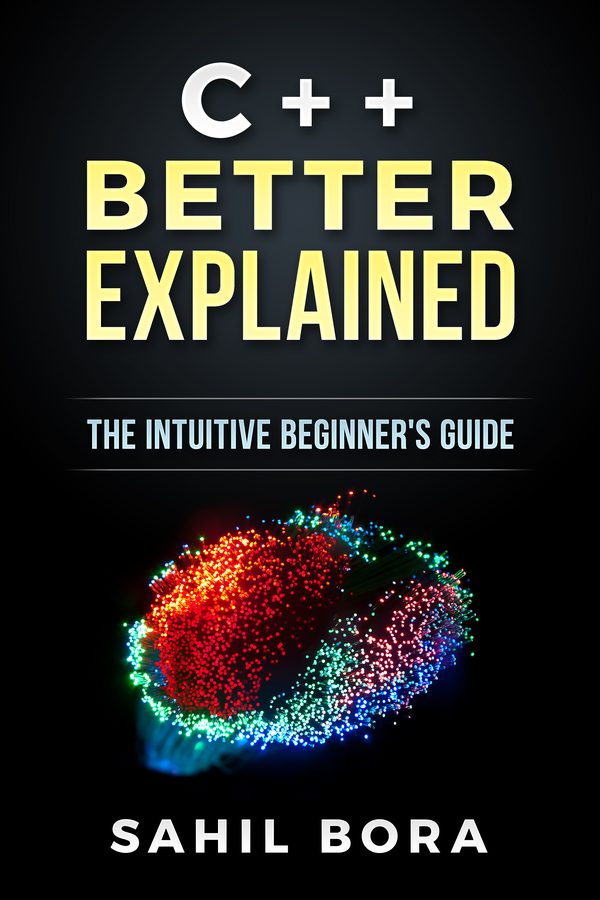
Pointers and references are where most C++ beginners get stuck, and they're far easier once you can picture them. C++ Better Explained explains them with diagrams and analogies, then builds on them to cover memory and OOP.
Get the book — $1987 pages · plain English · 30-day money-back guarantee
Related Articles
- C++ Error Messages Explained — the most common errors and what they mean.
- How to Convert a String to an int in C++ — stoi and safer alternatives.
- How to Convert an int to a String in C++ — to_string and friends.
- Pointers in C++ — addresses, & and *, explained.
- Type Casting in C++ — when you really do need a conversion.