C++ Roadmap 2026: What to Learn and In What Order
One of the hardest things about learning C++ isn’t the language itself — it’s knowing what to learn first, what to skip, and how to sequence it all so everything makes sense.
This roadmap gives you that structure. It’s built for 2026, uses modern C++ practices (C++17 and C++20 where relevant), and is designed to take you from zero to job-ready skills in the shortest path possible without cutting corners on the important stuff.
Each stage includes what to learn, roughly how long it takes, and what to build to solidify the knowledge.
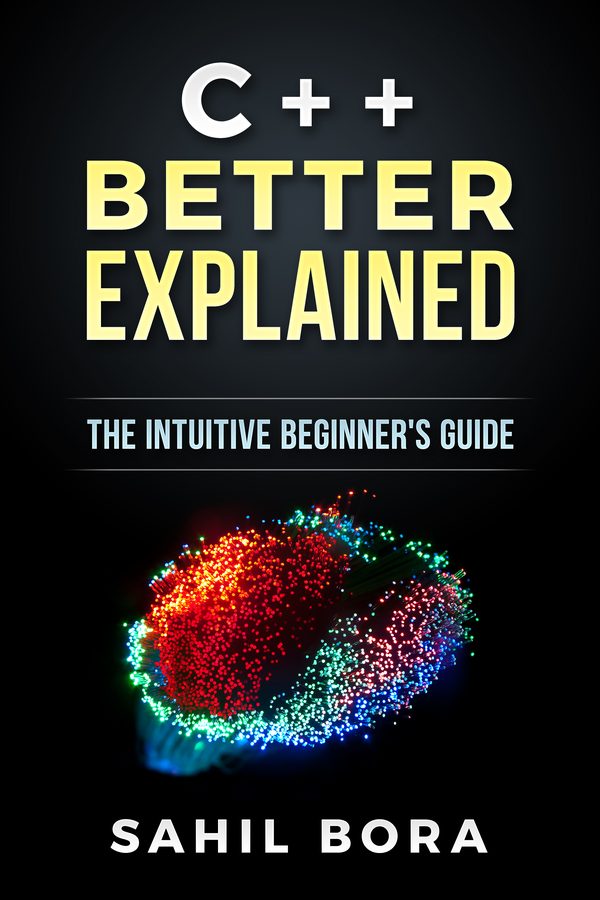
Get through Stage 1 faster
C++ Better Explained
The fundamentals stage is where most people stall. This book covers pointers, memory and OOP in 87 plain-English pages with analogies and diagrams.
Get the Book — $19 →Before you write a single line of code, get your tools in place. A broken environment is responsible for more beginner dropouts than anything else.
What you need:
-
A compiler — software that turns your C++ code into a program your computer can run
- Windows: Install MinGW-w64 or Visual Studio Community (free)
- Mac: Open Terminal and run
xcode-select --install - Linux: Run
sudo apt install g++
-
A code editor — VS Code with the Microsoft C/C++ extension is the best free option
-
Test it — create
hello.cpp, write this, compile it, and run it:
#include <iostream>

int main() {
    std::cout << "Hello, World!" << std::endl;
    return 0;
}
If you see “Hello, World!” in the terminal, your environment works. You’re ready.
Time: 1-2 hours
Stage 1: Core Syntax Fundamentals (Weeks 1–2)
This is the vocabulary of the language. Everything else is built on these concepts. Do not rush past this stage.
What to learn:
- Variables and data types —
int,double,char,string,bool, how to declare and initialize them - Operators — arithmetic (
+,-,*,/,%), comparison (==,!=,<,>), logical (&&,||,!) - Input and output —
std::cinandstd::cout, reading from the user, printing to screen - Conditionals —
if,else if,else,switchstatements - Loops —
for,while,do-whileloops,breakandcontinue
#include <iostream>

int main() {
    int score;
    std::cout << "Enter your score: ";
    std::cin >> score;

    if (score >= 90) {
        std::cout << "Grade: A" << std::endl;
    } else if (score >= 80) {
        std::cout << "Grade: B" << std::endl;
    } else {
        std::cout << "Grade: C or below" << std::endl;
    }

    return 0;
}
What to build: A number guessing game where the computer picks a random number and the user guesses. This forces you to use variables, input, conditionals, and loops together.
Time: 1–2 weeks (1 hour/day)
Stage 2: Functions (Week 3)
Functions are how you break code into reusable, understandable pieces. Without them, programs become unmaintainable beyond ~50 lines.
What to learn:
- Declaring and calling functions
- Parameters and return values
- The difference between pass by value and pass by reference
- Function overloading (multiple functions with the same name, different parameters)
- Scope — where variables are and aren’t accessible
// Pass by value — original unchanged
void doubleValue(int x) {
    x = x * 2;
}

// Pass by reference — original IS changed
void doubleRef(int& x) {
    x = x * 2;
}

int main() {
    int a = 5;
    doubleValue(a);  // a is still 5
    doubleRef(a);    // a is now 10
    return 0;
}
What to build: A simple calculator with separate functions for add, subtract, multiply, and divide. Then extend it with a function that validates user input.
Time: 1 week
Stage 3: Arrays, Vectors, and Strings (Week 4)
Real programs work with collections of data — multiple scores, multiple names, multiple readings. This stage covers how to handle that.
What to learn:
- Arrays — fixed-size collections of the same type
std::vector— the modern, resizable alternative (prefer this over raw arrays)std::string— text manipulation methods (length, substr, find, replace)- Iterating — looping through containers with index-based and range-based
forloops
#include <vector>
#include <iostream>

int main() {
    std::vector<int> scores = {88, 92, 75, 95, 81};

    int total = 0;
    for (int score : scores) {  // range-based for loop
        total += score;
    }

    double average = (double)total / scores.size();
    std::cout << "Average: " << average << std::endl;

    return 0;
}
What to build: A grade calculator that reads a list of scores from the user, computes the average, finds the highest and lowest, and prints a summary.
Time: 1 week
Stage 4: Object-Oriented Programming (Weeks 5–7)
OOP is C++‘s most powerful organizational tool. It lets you model real-world things as code objects with data and behavior.
What to learn (in this order):
- Classes and objects — a class is a blueprint; an object is an instance of it
- Constructors and destructors — how objects are created and cleaned up
- Access modifiers —
public,private,protected - Member functions — functions that belong to a class
- Inheritance — one class extending another
- Polymorphism — objects of different types responding to the same function call differently
class Shape {
public:
    virtual double area() = 0;  // pure virtual function
    virtual ~Shape() {}
};

class Circle : public Shape {
    double radius;
public:
    Circle(double r) : radius(r) {}
    double area() override {
        return 3.14159 * radius * radius;
    }
};

class Rectangle : public Shape {
    double width, height;
public:
    Rectangle(double w, double h) : width(w), height(h) {}
    double area() override {
        return width * height;
    }
};
What to build: A small bank account system with classes for Account, SavingsAccount, and CheckingAccount. Practice inheritance by having SavingsAccount and CheckingAccount extend Account with different interest and fee rules.
Time: 2–3 weeks. OOP takes longer to absorb than syntax — that’s normal.
Stage 5: Pointers and Memory Management (Weeks 8–10)
This is the stage most beginners dread. It’s not as bad as it sounds, and understanding it separates C++ developers from everyone else.
What to learn:
- Pointers — variables that hold memory addresses
- The address-of operator (
&) and dereference operator (*) - Dynamic memory allocation —
newanddelete - Stack vs. heap — where different variables live in memory
- Smart pointers —
std::unique_ptrandstd::shared_ptr(modern C++, prefer these over raw pointers) - Common memory bugs — null pointer dereference, memory leaks, dangling pointers
#include <memory>
#include <iostream>

int main() {
    // Raw pointer (avoid in modern C++)
    int* raw = new int(42);
    std::cout << *raw << std::endl;
    delete raw;  // must manually free

    // Smart pointer (prefer this)
    auto smart = std::make_unique<int>(42);
    std::cout << *smart << std::endl;
    // automatically freed when smart goes out of scope

    return 0;
}
What to build: Implement a simple linked list from scratch using raw pointers, then rewrite it using std::unique_ptr. The contrast makes the smart pointer value crystal clear.
Time: 2–3 weeks
Stage 6: The Standard Library (Weeks 11–12)
The C++ Standard Library (STL) gives you powerful, battle-tested data structures and algorithms so you don’t have to build them yourself.
What to learn:
- Containers —
std::vector,std::map,std::set,std::unordered_map,std::queue,std::stack - Algorithms —
std::sort,std::find,std::count,std::transform,std::accumulate - Iterators — how to traverse containers generically
- File I/O — reading from and writing to files with
std::ifstreamandstd::ofstream
#include <map>
#include <string>
#include <iostream>

int main() {
    std::map<std::string, int> wordCount;

    std::string words[] = {"apple", "banana", "apple", "cherry", "banana", "apple"};
    for (const auto& word : words) {
        wordCount[word]++;
    }

    for (const auto& [word, count] : wordCount) {
        std::cout << word << ": " << count << std::endl;
    }

    return 0;
}
What to build: A simple word frequency counter that reads a text file, counts how many times each word appears, and prints the top 10 most common words.
Time: 1–2 weeks
Stage 7: Modern C++ Features (Weeks 13–16)
Modern C++ (C++11 through C++20) introduced features that make the language significantly more productive. These are now standard practice in professional code.
What to learn:
autokeyword — let the compiler deduce types- Lambda functions — anonymous functions defined inline
- Range-based for loops — cleaner iteration
- Structured bindings —
auto [key, value] = pair std::optional— represent values that might not exist- Move semantics and rvalue references — performance optimization (advanced, but important)
- Templates — write code that works with any type
#include <vector>
#include <algorithm>

int main() {
    std::vector<int> numbers = {5, 2, 8, 1, 9, 3};

    // Lambda with algorithm
    std::sort(numbers.begin(), numbers.end(), [](int a, int b) {
        return a < b;
    });

    // Range-based for with auto
    for (auto n : numbers) {
        std::cout << n << " ";
    }

    return 0;
}
Time: 3–4 weeks (these features take practice to feel natural)
Stage 8: Project Work and Specialization (Month 4+)
At this point, you have enough knowledge to build real things. The fastest way to grow is to pick a direction and build progressively larger projects.
Choose your direction:
- Game development — Learn SFML (2D graphics) or Unreal Engine (C++ scripting). Build a Pong clone, then a platformer.
- Systems programming — Build a simple shell, a basic HTTP server, a file compression tool.
- Embedded systems — Set up Arduino or Raspberry Pi. Write C++ code that controls hardware.
- Competitive programming — Use C++ to solve algorithm challenges on Codeforces or LeetCode.
- Data structures and algorithms — Implement a BST, hash table, graph traversal from scratch.
What matters: Build things that push you. If you’re not stuck at least once a week, you’re in your comfort zone.
What to Skip as a Beginner
Certain topics show up in C++ curricula that you simply don’t need early on. Skip these until you’ve completed at least Stages 1–6:
- Low-level bit manipulation (bitwise operators, bit fields)
- Template metaprogramming (complex, mostly for library authors)
- Undefined behaviour in depth (important, but too early to internalize)
- Build systems (Make, CMake) — use simple
g++commands or an IDE until you need more - Concurrency and multithreading — learn this after your single-threaded programs are solid
Realistic Timeline
| Stage | Focus | Time |
|---|---|---|
| 0 | Environment setup | 1 day |
| 1 | Core syntax | 2 weeks |
| 2 | Functions | 1 week |
| 3 | Arrays and vectors | 1 week |
| 4 | OOP | 2–3 weeks |
| 5 | Pointers and memory | 2–3 weeks |
| 6 | Standard library | 1–2 weeks |
| 7 | Modern C++ features | 3–4 weeks |
| 8 | Projects + specialization | Ongoing |
That’s roughly 3–4 months of consistent work (1–2 hours per day) to get through Stages 0–7. Stage 8 is where you grow into a real C++ developer — and that’s an ongoing process.
The Most Important Advice on This Page
Read every tutorial you want, but you will not learn to program by reading. You learn by writing code, hitting errors, figuring out why they happen, and fixing them.
For every concept you learn, write a small program that uses it. Not copy-paste — type it out yourself. Get it wrong first. Fix it. That loop is how programming skill actually forms.
Summary
The C++ learning path in 2026 is: environment → syntax → functions → arrays/vectors → OOP → pointers → standard library → modern features → specialization. Each stage builds on the last. Rush any of them, and the cracks show up later.
Three to four months of consistent practice gets you to a point where you can build real projects and grow from real experience. That’s when the real learning accelerates.
Take Your C++ Further
If you’re looking to go deeper with C++, the C++ Better Explained Ebook is perfect for you — whether you’re a complete beginner or looking to solidify your understanding. Just $19.
👉 Get the C++ Better Explained Ebook — $19
Related Articles
- Can You Learn C++ on Your Own? A Self-Taught Guide — the realistic self-taught path, in order.
- Is C++ Worth Learning in 2026? An Honest Answer — job demand, salaries, and who should skip it.
- Is C++ Primer Good for Beginners? — an honest review of the classic textbook.
- Programming: Principles and Practice Review — Stroustrup’s book for learning to program from zero.
- C++ Primer vs Programming: Principles and Practice — which of the two big textbooks to pick.
- Best C++ Books and Resources for Beginners in 2026 — the best C++ books for beginners, ranked honestly, plus the free resources that are actually worth your time.
- How to Learn C++ From Scratch: The Complete Beginner Roadmap — the interactive version of this roadmap with numbered steps, direct links to every tutorial, and a built-in learning path.
- How to Start Learning C++ in 2026: A Complete Beginner’s Roadmap — the more practical companion to this roadmap, with step-by-step first-week guidance.
- Is C++ Hard to Learn? An Honest Answer for Beginners — honest expectations on the learning curve before you start.
- How to Set Up C++: Install a Compiler and Write Your First Program — the first practical step: get your environment working.
- C++ Projects for Beginners: 4 Guided Projects with Full Source Code — once you have the basics, apply them with guided real projects.
- C++ Programs for Beginners: 40+ Examples With Full Code — small practice programs for every stage of the roadmap.
- C++ Cheat Sheet: Quick Reference for Syntax, STL, and OOP — bookmark this and keep it open while you work through the roadmap.
- What Is C++ Used For? Real-World Applications Explained — understand where C++ fits in the real world before you commit to learning it.
- C++ Variables and Data Types: A Complete Beginner’s Guide — the first real concept to master, explained clearly.
- How Long Does It Take to Learn C++? An Honest Timeline — how long each stage of the roadmap actually takes in practice.