How to Fix “stray ‘\342’ in program” in C++
Short answer: your code contains a character that looks normal but isn’t plain text: a curly quote (“ ” ‘ ’), a long dash (–), or an invisible non-breaking space. It almost always comes from pasting code out of a website, PDF, Word document or chat app. Retype the quotes and dashes from your keyboard, and the error disappears.
Different compilers describe the same problem very differently:
| Compiler | What you see |
|---|---|
| Older GCC (for example GCC 8) | stray '\342' in program, stray '\302' in program |
| GCC 10 and later | extended character “ is not valid in an identifier |
| Clang (Xcode, macOS) | unexpected character <U+201C> |
| Visual Studio | C3873 or C3872: 'U+201c': this character is not allowed ... |
Hit this one? Copy-paste mistakes like it catch out a lot of beginners.
Free 1-page checklist: The 10 Mistakes Every C++ Beginner Makes. It shows the exact traps that slow down every C++ beginner, so you can avoid them from day one.
🔒 No spam. Unsubscribe anytime.
What \342 Means
Characters like “ aren’t on a standard keyboard, so files store them as several bytes in UTF-8. Older GCC versions report each unexpected byte separately, in octal. That’s why one curly quote produces three errors at once:
| Character | Looks like | Older GCC reports |
|---|---|---|
| Left curly quote | “ | stray '\342', stray '\200', stray '\234' |
| Right curly quote | ” | stray '\342', stray '\200', stray '\235' |
| En dash | – | stray '\342', stray '\200', stray '\223' |
| Non-breaking space | (invisible) | stray '\302', stray '\240' |
So \342 almost always means a curly quote or a dash, and \302 means a non-breaking space. Newer GCC names the character instead of listing its bytes, but the cause is exactly the same.
Cause 1: Curly Quotes Around a String
The most common one. Many websites, word processors and messaging apps turn ” into “ and ” automatically:
#include <iostream>

int main() {
    std::cout << “Hello”;
}
GCC 8: error: stray '\342' in program
GCC 11: error: extended character “ is not valid in an identifier
Clang: error: unexpected character <U+201C>
MSVC: error C3873: 'U+201c': this character is not allowed as a first character of an identifierFix: delete both quotes and type them again from your keyboard:
#include <iostream>

int main() {
    std::cout << "Hello";
}
The same goes for single quotes in a character: ‘A’ must be 'A'.
Want the fundamentals explained properly? C++ Better Explained covers the core of C++ in plain English, with analogies and code diagrams, including the parts that trip beginners up most: pointers, memory and OOP.
Get the book — $19Cause 2: A Dash Instead of a Minus Sign
Word processors also turn a hyphen into a longer dash (–), which isn’t the minus operator:
#include <iostream>

int main() {
    int lives = 10 – 3;
    std::cout << lives;
}
GCC 8: error: stray '\342' in program
GCC 11: error: extended character – is not valid in an identifier
Clang: error: unexpected character <U+2013>
MSVC: error C3873: 'U+2013': this character is not allowed as a first character of an identifierFix: retype the minus sign: int lives = 10 - 3;
Cause 3: An Invisible Non-Breaking Space
The sneakiest version, because you can’t see it. Web pages often use a non-breaking space instead of a normal one, and it comes along when you copy the code:
#include <iostream>

int main() {
    int total = 5;
    std::cout << total;
}
That code looks perfectly fine on screen, but the space between int and total is a non-breaking space.
GCC 8:   error: stray '\302' in program
GCC 11:  error: extended character   is not valid in an identifier
MSVC:    error C3872: 'U+a0': this character is not allowed in an identifier
Clang:   warning: treating Unicode character as whitespace
Notice the GCC 11 message shows a “blank” character — that’s the non-breaking space itself. Clang accepts it with a warning, so the same file can build with Clang and fail with GCC or Visual Studio.
Fix: delete the space and type a normal one. If you can’t tell which space it is, retype the whole line.
How to Find the Character
- Go to the exact spot. The error gives a line and a column, such as
main.cpp:4:18. The character is right there. - Let your editor show you. VS Code highlights invisible and look-alike Unicode characters by default, with a box around them. Hover over one to see what it is.
- Search the whole file. On Linux, macOS or Git Bash on Windows, this lists every line containing a non-ASCII character:
grep -nP '[^\x00-\x7F]' main.cpp- When in doubt, retype the line. It’s often faster than hunting for the character.
Characters inside comments and inside string contents ("café") are fine. The compiler only objects when one appears in the code itself.
How to Stop It Happening
- Copy code from code blocks, not from the paragraphs around them. Code blocks keep plain quotes and spaces.
- Don’t paste code through Word, Google Docs, PDFs or chat apps. They often convert quotes and dashes, and some add non-breaking spaces.
- Type it yourself when you’re learning. It avoids this error entirely, and you’ll remember the code better.
Quick Reference
| Error | Usual culprit | Fix |
|---|---|---|
stray '\342' / extended character “ ” | Curly double quotes | Retype " |
stray '\342' / extended character ‘ ’ | Curly single quotes | Retype ' |
stray '\342' / extended character – | En or em dash | Retype - |
stray '\302' '\240' | Non-breaking space | Delete it and type a normal space |
unexpected character <U+...> (Clang) | Any of the above | Find the character at that column |
For other common messages, see C++ error messages explained.
Take Your C++ Further
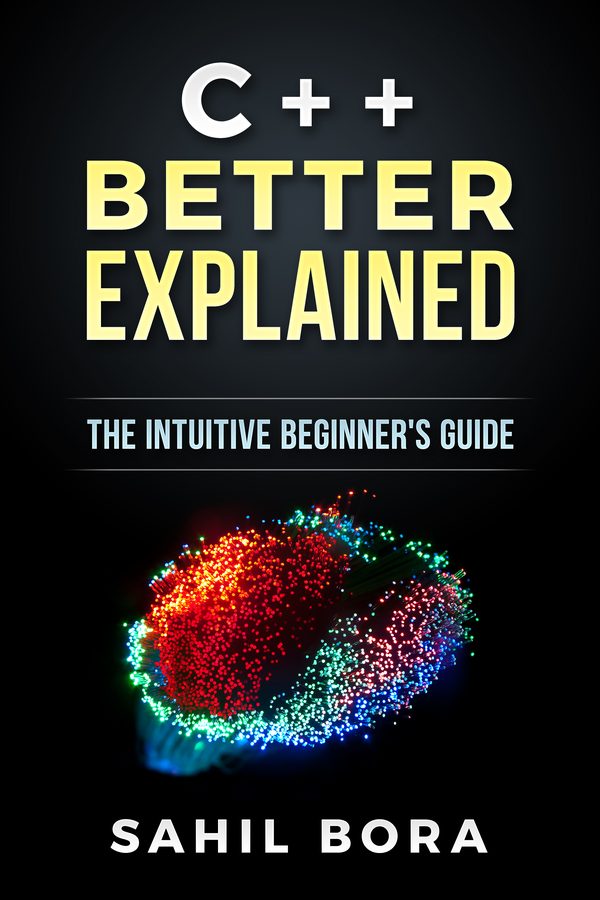
If you'd like the fundamentals explained in one place, C++ Better Explained covers them in 87 plain-English pages, with analogies and code diagrams, including the parts that trip beginners up most: pointers, memory and OOP.
Get the book — $1987 pages · plain English · 30-day money-back guarantee
Related Articles
- C++ Error Messages Explained — the most common errors and what they mean.
- How to Fix Expected ’;’ Errors — another error that points at the wrong place.
- How to Fix ‘does not name a type’ — when the compiler doesn’t recognise a name.
- Online C++ Compilers — test pasted code in your browser.
- C++ Hello World Explained — your first program, typed by hand.